
Incident/Ops
Incident management that lives where your team works
UpdatedJan 6, 2026
What is Incident/Ops?
How to use Incident/Ops?
Features
Use Cases
FAQ
Pricing
Free Plan
/bin/zsh/month
Popular
Pro Team
/month
Incident management that lives where your team works
Incident/Ops is a Slack-native incident management platform specifically designed for engineering teams who need to respond to production incidents quickly and efficiently. It brings the entire incident response workflow directly into Slack, eliminating context-switching between multiple tools during critical moments. The platform combines incident management, on-call scheduling, AI-powered postmortem generation, and analytics into a unified solution that lives where your team already communicates, enabling faster incident resolution and better knowledge capture.
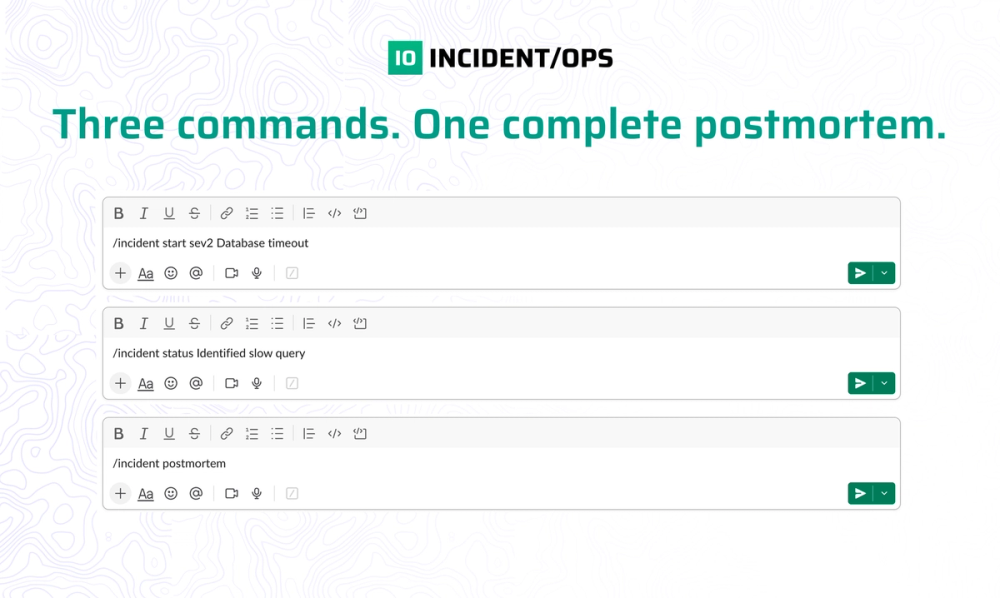
Single-command incident management with automatic severity tracking and dedicated channel creation, AI-powered postmortem generation that analyzes incident timelines to extract root causes and action items, automated on-call rotation scheduling with daily/weekly/bi-weekly options and calendar management, Slack-native paging system with acknowledgment buttons and auto-escalation for unacknowledged pages, automatic timeline capture with timestamped updates throughout incident lifecycle, incident analytics dashboard tracking MTTR, severity breakdowns, and recurring issues, seamless integrations with PagerDuty, Jira, and upcoming Linear/GitHub Issues support
#1 DevOps and SRE teams managing production incidents who need rapid incident response without leaving their primary communication channel, #2 Platform engineering teams running complex distributed systems that require coordinated incident response and thorough postmortem documentation, #3 Startup engineering teams building reliability practices who need affordable, easy-to-adopt incident management without enterprise tool complexity, #4 Remote-first engineering organizations requiring centralized incident coordination and knowledge capture across distributed teams, #5 Growing tech companies transitioning from ad-hoc incident response to structured processes with proper documentation and analytics, #6 Engineering leaders tracking incident metrics and team performance to improve reliability and reduce MTTR over time
How does Incident/Ops differ from PagerDuty or Opsgenie? Incident/Ops is Slack-native, meaning the entire incident management workflow happens in Slack where your team already communicates, while PagerDuty and Opsgenie require separate interfaces. Incident/Ops also includes AI-powered postmortem generation and integrates with PagerDuty for phone/SMS alerting when needed.
What AI capabilities does Incident/Ops provide? The platform offers AI-powered postmortem generation that automatically analyzes incident timelines, identifies root causes, extracts action items, and creates comprehensive incident reports in markdown format, saving hours of manual documentation work.
Is there a free plan available? Yes, Incident/Ops offers a generous free plan with unlimited incidents, basic timeline capture, on-call management, and 10 AI-powered postmortems per month, making it ideal for small teams or those getting started with structured incident management.
How does pricing work for teams? The Pro Team plan is /month per workspace (not per user), meaning all team members in your workspace can use the full platform without additional per-seat charges. Plans can be cancelled anytime with data preserved.
What integrations are available? Currently, Incident/Ops integrates with PagerDuty for phone/SMS alerting and Jira for ticket creation. Integrations with Linear, GitHub Issues, and Opsgenie are coming soon.