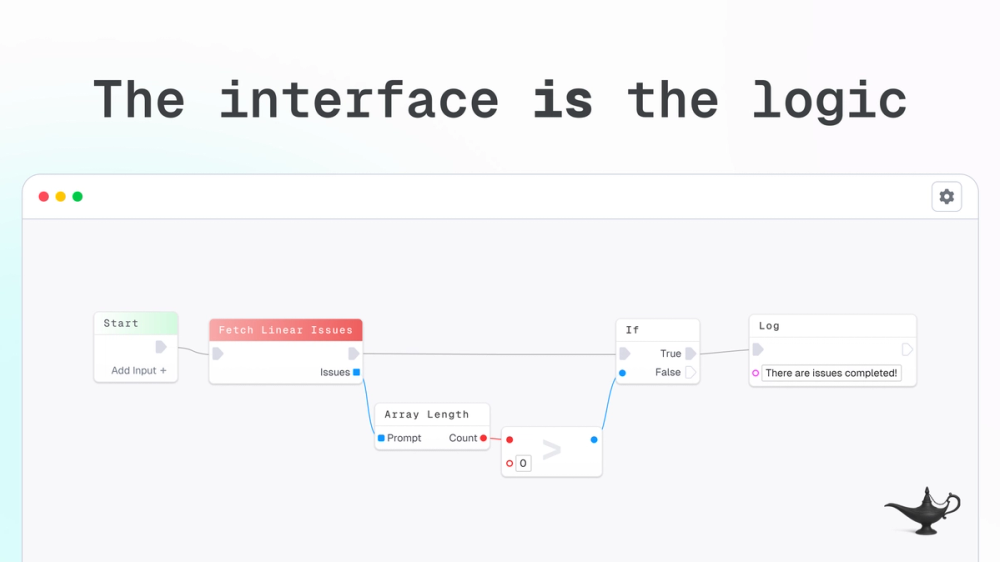
Make building forms and automating workflows feel like magic
FlowGenie is a visual no-code platform that enables users to build real logic, automated workflows, and dynamic forms directly in their browser. It features a blueprint-style editor where the flow is the code, allowing users to create complex behaviors with branches, loops, variables, and nested flows - all visible, inspectable, and composable. The platform supports real-time multiplayer collaboration, letting teams build, debug, and ship together while seeing each other's cursors. FlowGenie also offers REST API endpoints, scheduled triggers, and a comprehensive form builder that can handle validation, payment processing, and multi-step workflows.
FlowGenie allows users to visually program real logic and build forms without writing any code. The platform works entirely in your browser with real-time collaboration capabilities.
Getting Started:
Visual Blueprint Editor Build complex logic with a drag-and-drop interface where the flow is the code - no black boxes, everything is visible and inspectable.
Real-Time Multiplayer Collaboration Work together with your team and see their cursors in real-time as you construct workflows - no more screen sharing to explain logic.
Flexible Trigger Options Expose flows as REST endpoints, trigger them on a schedule, or run them ad-hoc inside your workspace.
Programmable Forms Design forms visually from simple surveys to complex conditional experiences, with built-in validation and logic powered by flows.
Multi-Platform Deployment Share hosted forms, embed them anywhere, or render them yourself using the FlowGenie SDK - edit once, deploy everywhere.
Composable Logic Components Create reusable nested flows with branches, loops, and variables that can be combined and repurposed across projects.
#1 No-Code Developers & Makers Perfect for building automated workflows and forms without writing code, ideal for validating ideas and shipping MVPs quickly.
#2 Product & Operations Teams Great for creating internal tools, automating repetitive processes, and building data collection forms with complex validation logic.
#3 Marketing & Growth Teams Ideal for building lead capture forms, survey workflows, and automated follow-up sequences with conditional branching.
#4 Small to Medium Businesses Excellent for teams that need to automate business processes, handle form submissions, and integrate multiple services without hiring developers.
#5 Agencies & Consultants Useful for building client-facing forms and workflows that can be customized and deployed across multiple projects.
Is FlowGenie free to use? Yes, FlowGenie offers a free tier that includes 1 user, 10 flows and forms, 50 executions per day, and 1GB file storage - perfect for getting started and validating ideas.
Can I collaborate with my team in real-time? Yes, FlowGenie supports real-time multiplayer collaboration. You can see your teammates' cursors as you build workflows together, eliminating the need for screen sharing.
What triggers can I use for my flows? Flows can be triggered via REST API endpoints, scheduled runs, or ad-hoc execution inside your workspace. Paid plans include unlimited schedule nodes.
Can I embed forms on my website? Yes, you can share a hosted form link, embed forms anywhere using an iframe, or render them yourself using the FlowGenie SDK for headless implementation.
What file upload limits are supported? File upload limits range from 5MB on the free plan to 100MB on the Scale plan, with storage from 1GB to 500GB depending on your tier.