
LogoHelloAITools
  • Categories
  • Collection
  • Blog
  • Pricing
  • Submit
LogoHelloAITools
  1. Home
  2. Products
  3. FinalRun
FinalRun

FinalRun

Your AI QA Agent for Mobile app
UpdatedJan 20, 2026
URLfinalrun.app
PricingFree & Paid
AI ProductivityAI Coding#For Developers#Mobile App#Workflow Automation#AI Agent#No-code#Freemium
Screenshot of FinalRun
Visit Website

What is FinalRun?

How to use FinalRun?

Features

Use Cases

FAQ

Pricing

Free Plan

$0
  • Get started with basic testing capabilities
  • Access to core vision-based testing features
  • Limited test runs per month

Paid Plans

Custom Pricing
  • Unlimited test executions
  • Advanced CI/CD integrations
  • Priority support and onboarding
  • Custom reporting and analytics
  • Contact sales for enterprise pricing
LogoHelloAITools

Discover the best AI tools for your needs.

Product
  • Browse All
  • Collection
Resources
  • Blog
  • Pricing
  • Submit
Company
  • Privacy Policy
  • Terms of Service
  • Sitemap
Copyright © 2026 All Rights Reserved.

FinalRun is an AI-powered mobile app testing platform that automates QA for iOS and Android applications using vision-based agents. Unlike traditional testing tools that rely on brittle DOM selectors or XPath locators, FinalRun uses computer vision to perceive screens like a human tester would, allowing tests to self-heal and adapt automatically when UI elements change. The platform is developed by FINALRUN PRIVATE LIMITED and supports major frameworks including React Native, Flutter, Swift, Jetpack Compose, Ionic, Cordova, Xamarin, and NativeScript.

  1. Sign up for a free account at studio.finalrun.app or download the macOS desktop application
  2. Connect your mobile app by uploading your iOS or Android build to the platform
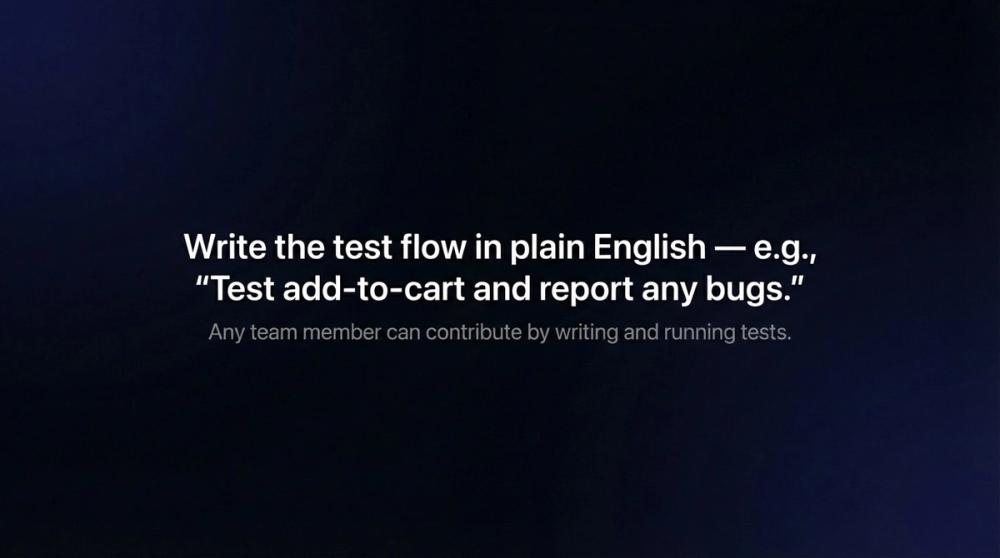
  3. Write tests in natural language or use the visual test recorder to create automated test flows
  4. Configure CI/CD integration with GitHub, Jenkins, or webhooks to trigger tests automatically
  5. Run tests across multiple devices and platforms from a single test definition
  6. Review detailed test results including videos, screenshots, and device logs in the dashboard
  7. Set up automated reporting to Slack or email to receive bug notifications instantly
  • Vision-Based AI Testing: AI agents perceive app screens visually like human testers, eliminating the brittleness of selector-based testing approaches
  • Cross-Platform Coverage: Write tests once and run them on both iOS and Android devices across various screen sizes without modification
  • Self-Healing Tests: Tests automatically adapt to UI changes without requiring manual maintenance or locator updates
  • Natural Language Test Authoring: Create tests using plain English descriptions instead of complex scripting languages
  • CI/CD Integration: Seamlessly connect with GitHub, Jenkins, and custom webhooks to trigger tests on every build
  • MCP Integration: Plug directly into AI-powered code editors like Cursor, Claude Code, and Cline for developer workflows
  • Automated Bug Reporting: Receive test results, videos, and logs via Slack or email with automatic ticket filing capabilities
  • #1 Mobile App Release Testing: QA teams can automate regression testing before every app release, ensuring critical user flows work correctly across all supported devices and platforms without manual testing overhead

  • #2 Continuous Integration Pipelines: Development teams integrate FinalRun into CI/CD workflows to catch bugs automatically on every code commit, preventing regressions from reaching production

  • #3 Cross-Platform Validation: Companies building apps for both iOS and Android use FinalRun to maintain a single test suite that validates functionality across both platforms simultaneously

  • #4 Small Team QA Scaling: Startups and small teams with limited QA resources leverage FinalRun to achieve comprehensive test coverage without hiring additional testers

  • #5 Complex Multi-App Workflows: Enterprise teams test end-to-end scenarios that span multiple apps, API interactions, and backend integrations using automated test flows

  • How is FinalRun different from traditional mobile testing tools? FinalRun uses vision-based AI that perceives screens like a human tester instead of relying on brittle DOM selectors or XPath locators. This means tests are more resilient to UI changes and require no locator maintenance.

  • Can I run the same tests on both iOS and Android? Yes, FinalRun allows you to write tests once and execute them on both iOS and Android platforms. The AI adapts to platform-specific UI differences automatically.

  • What happens when my app UI changes? FinalRun self-healing technology automatically adapts to UI modifications without requiring manual test updates. The vision-based approach recognizes elements by appearance rather than fixed selectors.

  • How do I integrate FinalRun with my development workflow? FinalRun integrates with GitHub, Jenkins, and custom webhooks for CI/CD. It also offers MCP integration for AI code editors and can send automated reports to Slack or email.

  • What mobile frameworks does FinalRun support? FinalRun works with React Native, Android native, iOS native, Swift, Jetpack Compose, Flutter, Ionic, Cordova, Xamarin, and NativeScript applications.