Notch Shelf, Floating Basket & Clipboard Manager for macOS
Droppy is a free, native macOS productivity application that provides a notch shelf, floating basket, and clipboard manager for your Mac. It fills the gaps that macOS leaves by offering a notch-integrated interface with floating, draggable cards containing quick-access tools and information. Built as an open-source project by a solo developer, Droppy transforms your Mac's notch area into a powerful productivity hub with features like file management, media controls, and system HUDs.
#1 Quick File Organization: Use the floating basket and file shelf to temporarily store files during transfers between folders or applications, with drag-out functionality for seamless file management
#2 Media Playback Control: Control Spotify, Apple Music, and other media players without switching apps using the beautiful Media HUD with album art, seek controls, and audio visualizer
#3 Clipboard History Management: Access your complete clipboard history with Command+Shift+Space to paste previously copied items, search through history, and rename entries for better organization
#4 System Monitoring: Keep track of battery levels, audio volume, screen brightness, and AirPods status through elegant Dynamic Island-style HUDs that work on any Mac
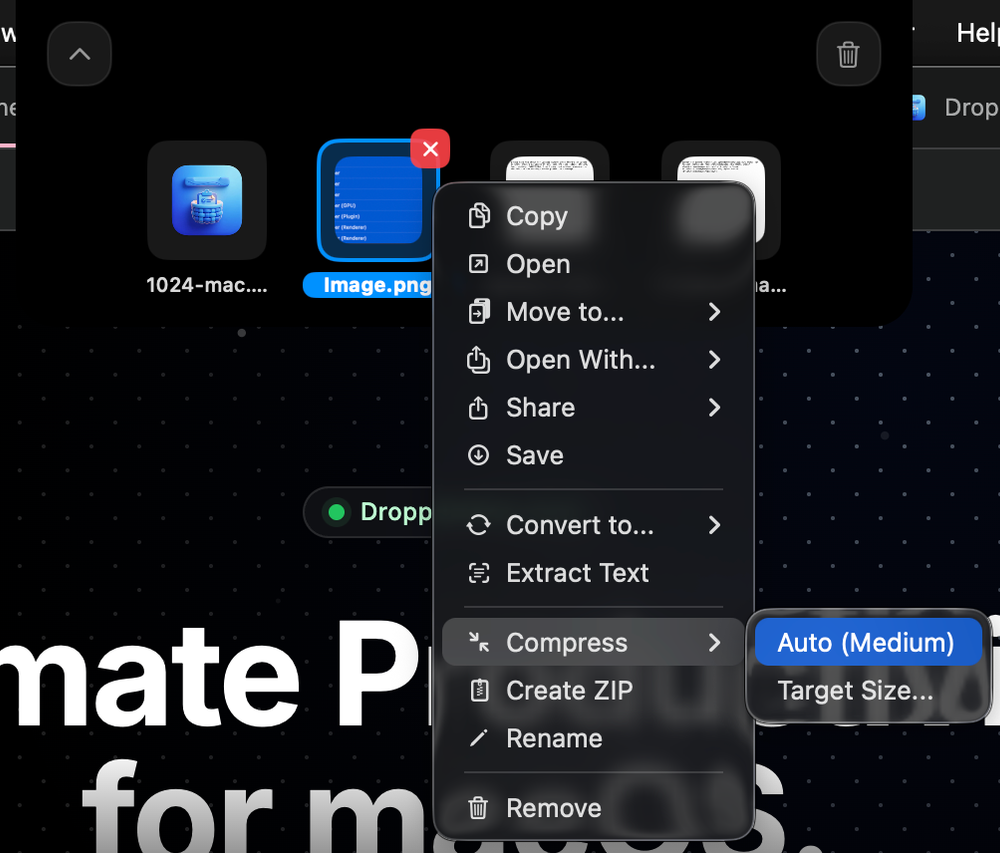
#5 Content Processing: Use AI-powered features like Whisper transcription for voice-to-text, background removal from images, OCR text extraction, and video compression directly from your notch
Is Droppy really free? Yes, Droppy is completely free and open-source. The developer accepts optional donations through Buy Me a Coffee to support ongoing development, but all features are available without payment.
Does Droppy work on Macs without a notch? Yes, Droppy works on any Mac regardless of whether it has a notch. The Dynamic Island-style interface adapts to your display setup and provides the same functionality on all supported Macs.
What AI features does Droppy include? Droppy includes Whisper AI for voice transcription, AI-powered background removal from images, and OCR text extraction. These features work locally on your Mac for privacy.
Can I integrate Droppy with other apps? Yes, Droppy supports Alfred workflows, Finder services, and integrates with Spotify and Apple Music. It also offers QuickShare and AirDrop functionality for easy content sharing.