LogoHelloAITools
  • Categories
  • Collection
  • Blog
  • Pricing
  • Submit
LogoHelloAITools
  1. Home
  2. Products
  3. Drift - Browser App
Drift - Browser App

Drift - Browser App

Free Browser Screen recorder app with custom cursor zoom

UpdatedJan 12, 2026
URLdrift.dvkk.dev
PricingFree
AI VideoAI Productivity#Free#Desktop App#Browser Extension#For Content Creators#For Developers
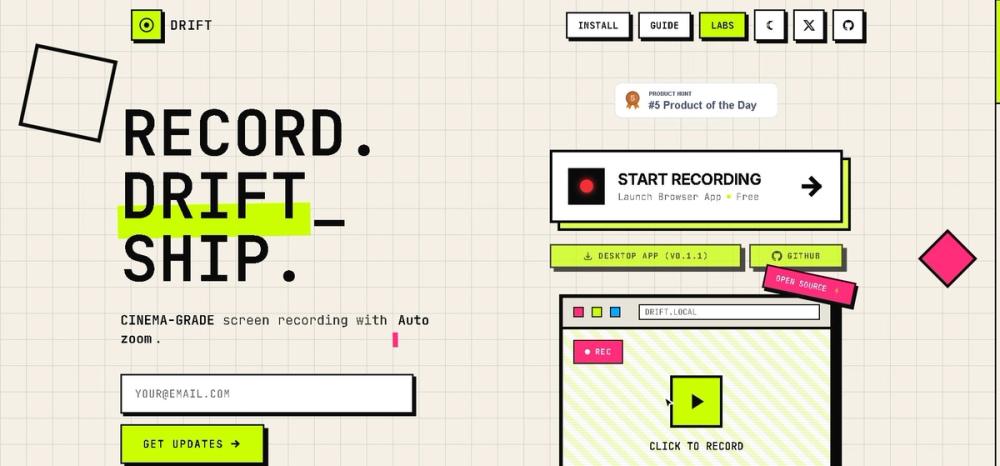
Screenshot of Drift - Browser App
Visit Website

What is Drift - Browser App?

How to use Drift - Browser App?

Features

Use Cases

FAQ

Pricing

Free Plan

Free Forever
  • Cinema-grade auto-zoom effects
  • All capture modes (screen, window, tab)
  • Built-in studio editor
  • Microphone recording support
  • Multiple background effects
  • No watermarks
  • No usage limits
  • Privacy-first local processing
LogoHelloAITools

Discover the best AI tools for your needs.

Product
  • Browse All
  • Collection
Resources
  • Blog
  • Pricing
  • Submit
Company
  • Privacy Policy
  • Terms of Service
  • Sitemap
Copyright © 2026 All Rights Reserved.

Drift is a free, privacy-focused screen recording application available as both a browser-based tool and a Windows desktop application. It specializes in creating professional-looking recordings with automatic zoom effects that smoothly follow your mouse clicks with cinema-grade animations. All processing happens locally on your device, ensuring your recordings never get uploaded to cloud servers, making it an ideal choice for users who prioritize data privacy.

  1. Launch Drift by visiting the website or opening the desktop app on Windows
  2. Select your recording source - choose between entire screen, specific window, or browser tab
  3. Configure your recording settings including microphone input and background effects
  4. Click the record button to start capturing your screen with automatic zoom tracking
  5. Use the built-in studio editor to adjust zoom points and fine-tune your recording
  6. Export your final video in WebM format (or convert to MP4 using external tools)
  • Cinema-grade Auto-Zoom: Automatically zooms into your mouse clicks with smooth, professional animations that make your recordings look polished
  • Privacy-First Design: All processing occurs locally on your device - your recordings never upload to cloud servers
  • Multiple Capture Modes: Record your entire screen, specific application windows, or individual browser tabs
  • Built-in Studio Editor: Timeline-based editing interface for adjusting zoom points and applying visual effects
  • Microphone Support: Add voiceover narration to your recordings with integrated microphone capture
  • Customizable Backgrounds: Choose from various background effects to enhance your video presentation
  • No Watermarks: Export clean, professional videos without any branding or watermarks

#1 Software Tutorials: Create professional product demos and tutorial videos with automatic zoom that highlights exactly where users should focus their attention

#2 Bug Reporting: Record and share bug reports with development teams, using zoom effects to clearly show where issues occur in the interface

#3 Content Creation: Produce engaging social media content and YouTube videos with cinema-quality zoom animations that keep viewers engaged

#4 Remote Presentations: Record presentations and walkthroughs that look professionally edited without spending hours in video editing software

#5 Documentation: Create visual documentation and how-to guides for internal teams or customer support resources

Is Drift really free? Yes, Drift is completely free forever with no hidden fees, trials, subscriptions, or paid tiers. All features are accessible at no cost.

Does Drift upload my recordings to the cloud? No, Drift is privacy-focused and processes everything locally on your device. Your recordings never leave your computer unless you choose to share them.

What browsers are supported? Drift works with Chrome, Firefox, Edge, and Brave browsers. It requires JavaScript and Screen Capture API support.

What platforms does Drift support? Currently Drift offers a browser-based version for all platforms and a desktop application for Windows. macOS and Linux desktop support is planned for future releases.

What video formats can I export? Drift exports natively to WebM format. MP4 conversion is available through external tools if needed.